Create a Sync Token to sync with QuickBooks Desktop
When setting up the sync between Bill.com and QuickBooks Desktop, the Sync Dashboard Profile Editor asks for Bill.com login credentials. A Sync Token can be used as a substitute for the email and password to connect the two systems.
Note: If using a Bill.com powered solution through a bank/financial institution, the sync token will be required to connect the sync.

A Sync Token is a name and password pair separate from the email and password used to log in. The token is strictly for syncing—it can't be used to log into a Bill.com account.
Creating a sync token
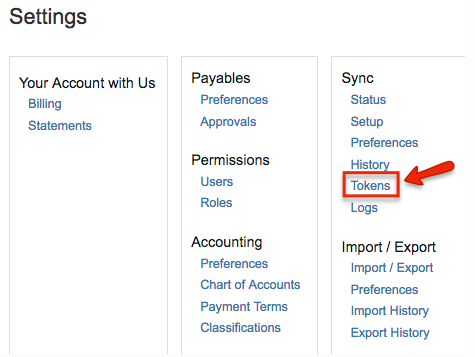
- Select Settings
- Under Sync, select Tokens
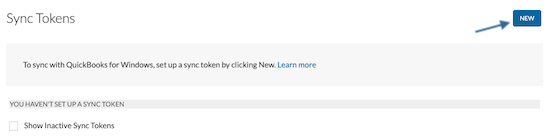
- Select New
- Name will auto-populate (this is a one-time use object)
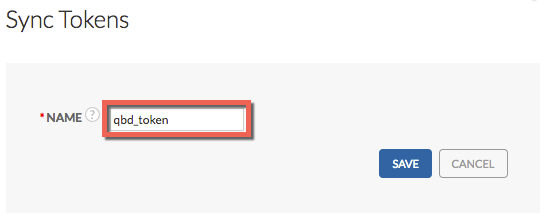
- Select Save. The token will be generated (also a one-time use object).
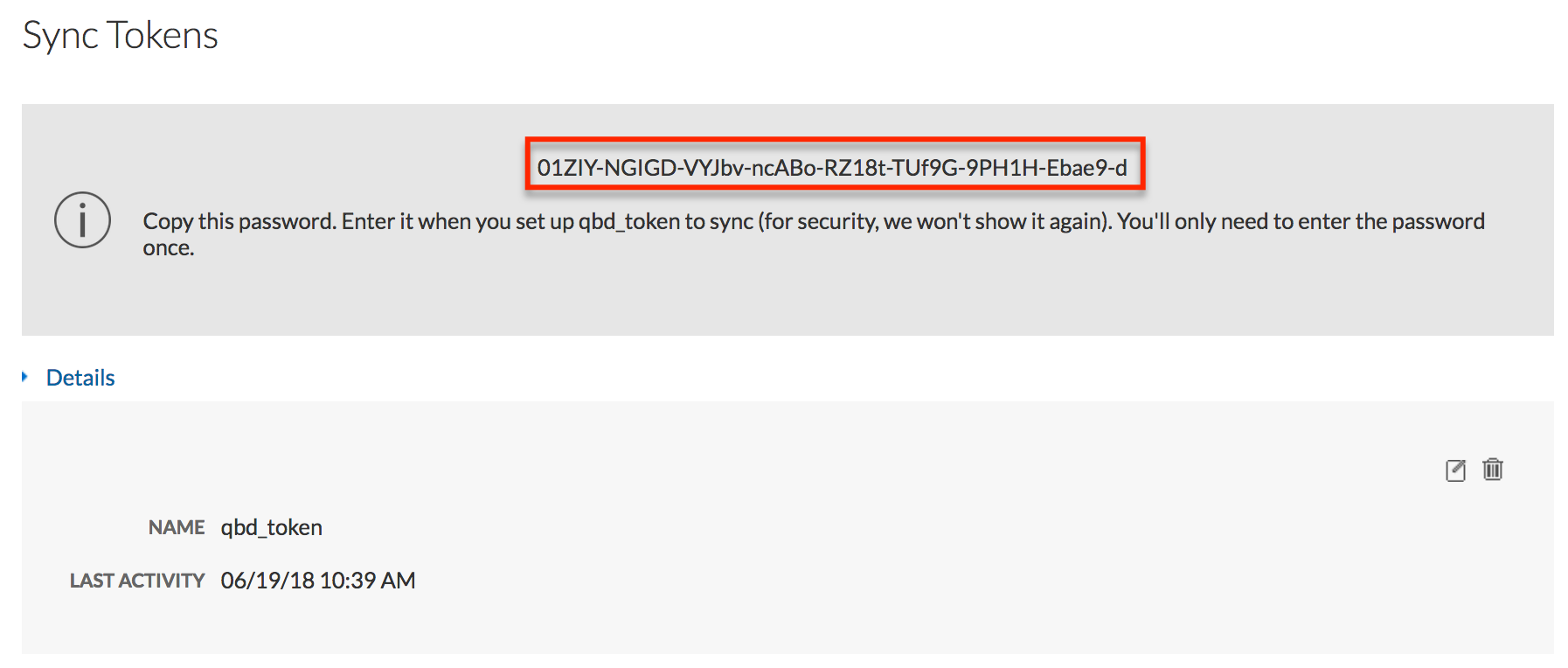
- Write down or copy & paste this token before navigating away from this page, as it is only shared one time
- On the Sync Dashboard:
- Email = Token Name
- Password = Token
Note: Creating a new token will invalidate the previous active token.
Account Setup View all
Making Payments to your Vendor View all
Getting Paid by your Customer View all